Usage
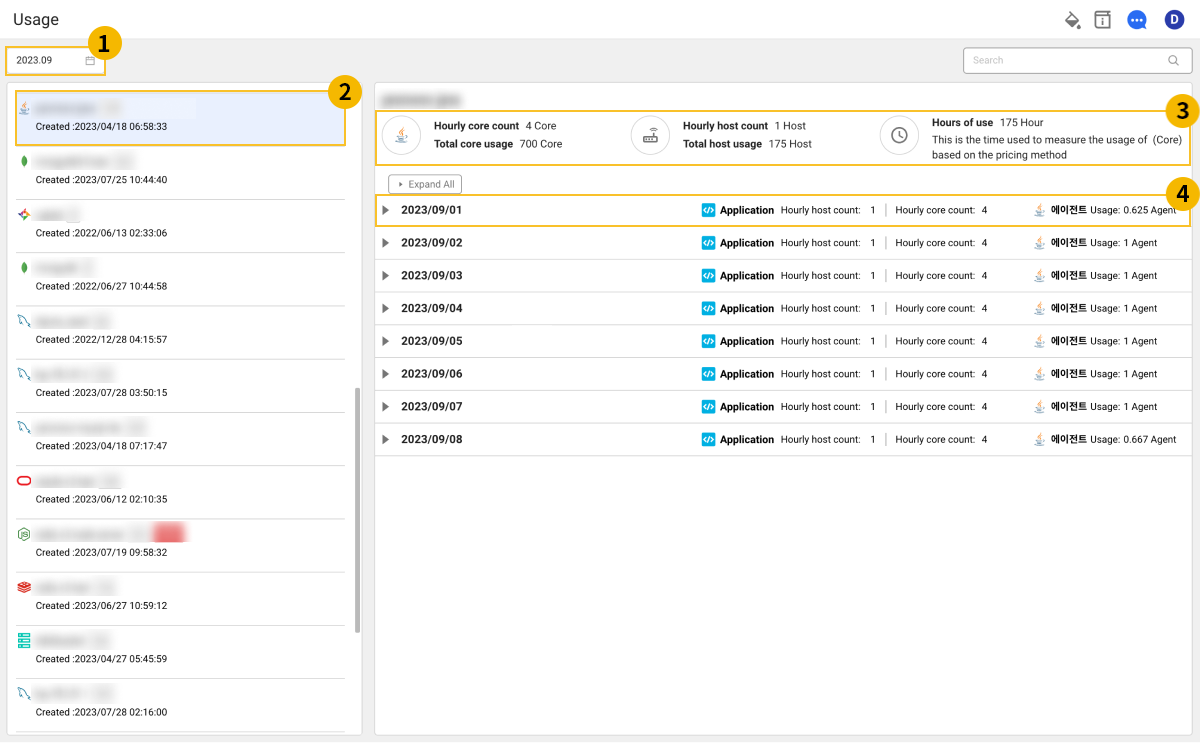
You can check monthly usage and daily usage details by project.
Select the profile icon on the upper right of the Home screen, and then select My usage > Usage.
-
In
 , select the period for which you want to check usage.
 -
In the project list
 on the left side of the screen, select a project. You can also search for projects in the text input field.
 -
In the
 area, you can check the monthly usage summary for the selected project.
 -
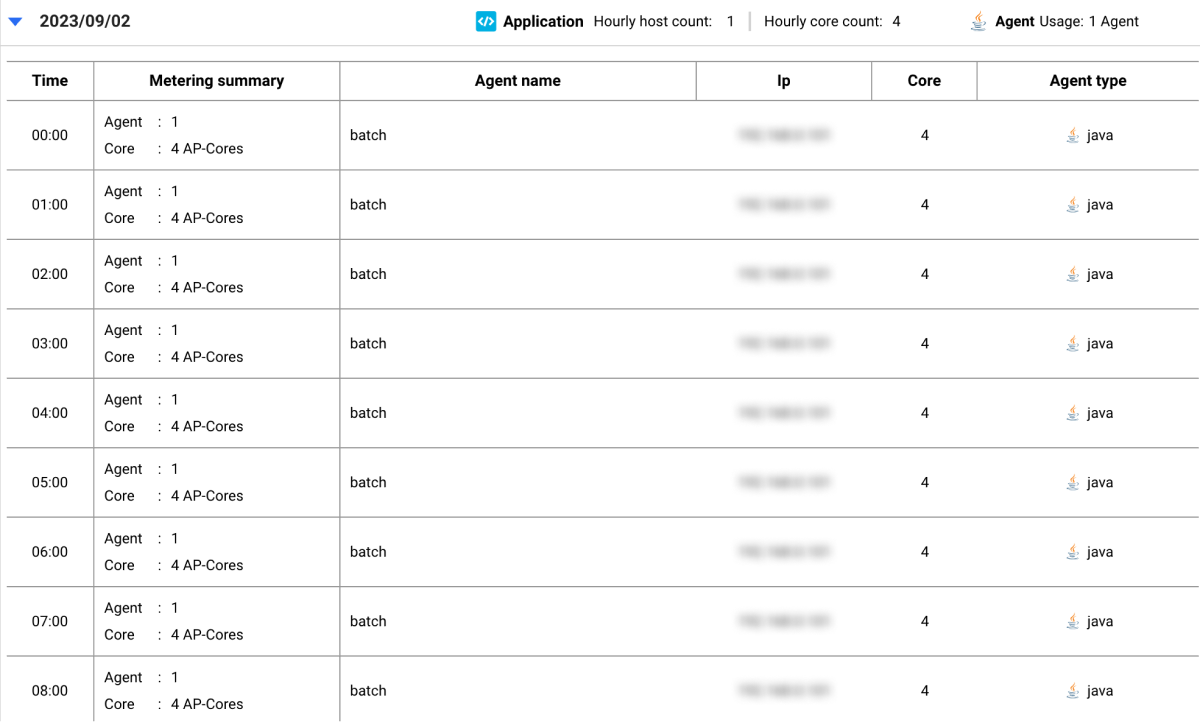
To check daily usage details, click the
 button in the
  daily usage list.
Note
-
The monthly usage summary and detailed usage information may vary depending on the product type of the project.
-
Usage information is measured based on the billing method. For more information about the billing method, see WhaTap Pricing.