Log long-term archive statistics setting
Log long-term archive statistics
Select the Log long-term archive statistics tab at the top of Log Configuration. Log data is so large and difficult to retain for a long time. Using the Set log statistics data function, you can save information on how many logs that meet specific conditions are collected every 5 minutes. Even if actual log data has been deleted for a long time, you can check the trend of how many logs that meet the conditions are collected.
Adding the log long-term archive statistics
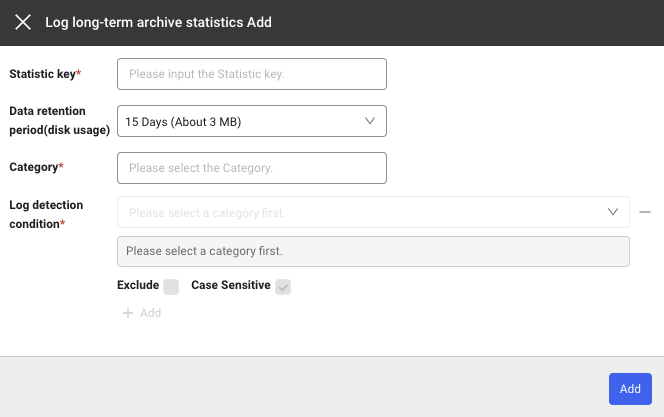
If you select + Add under the Log long-term archive statistics tab, the Log long-term archive statistics Add window appears. You can add rules by using + Add or delete the created rules by using the - icon.
Setting item
| Field | Description |
|---|---|
| Category | Category to apply the rule to. |
| Statistic Key | The same key cannot be set twice to save when a log that meets the rule is generated. |
| Log detection condition | Condition for generating log statistical data. Statistical data is generated based on how many logs that meet this condition are collected. |
| Exclude | If checked, statistical data is generated with values that do not correspond to the entered conditions. |
| Case Sensitive | Specify case sensitivity for the values of the entered log detection conditions. |
| Enabled | Active or inactive (default value is true) |
Example
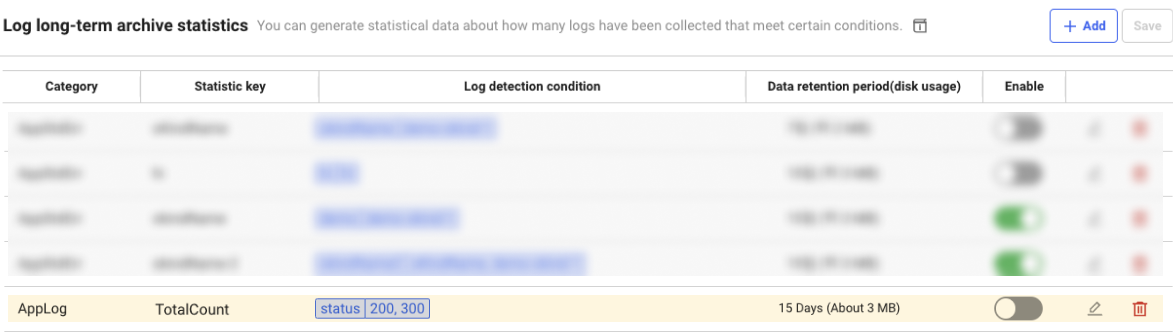
If a setting is added as follows, statistical data is generated with a key value of TotalCount for the logs whose status is 200 or 300.
Data Search
-
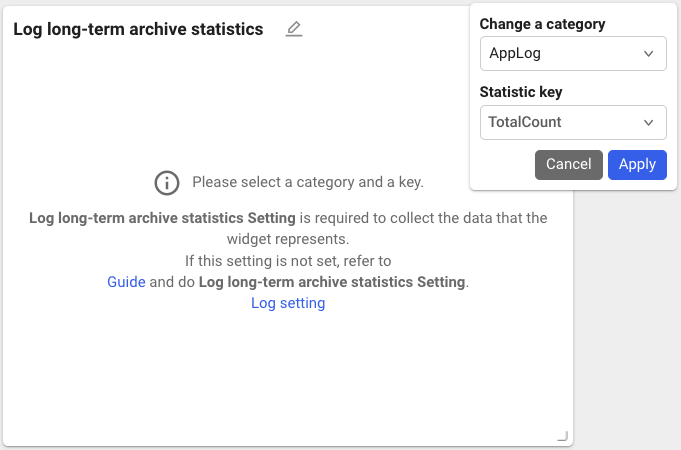
Create a widget by searching Log long-term archive statistics in Widget templates of Integrated Flex Board.

-
Enter the Category and Statistic key to view and then select Apply.
-
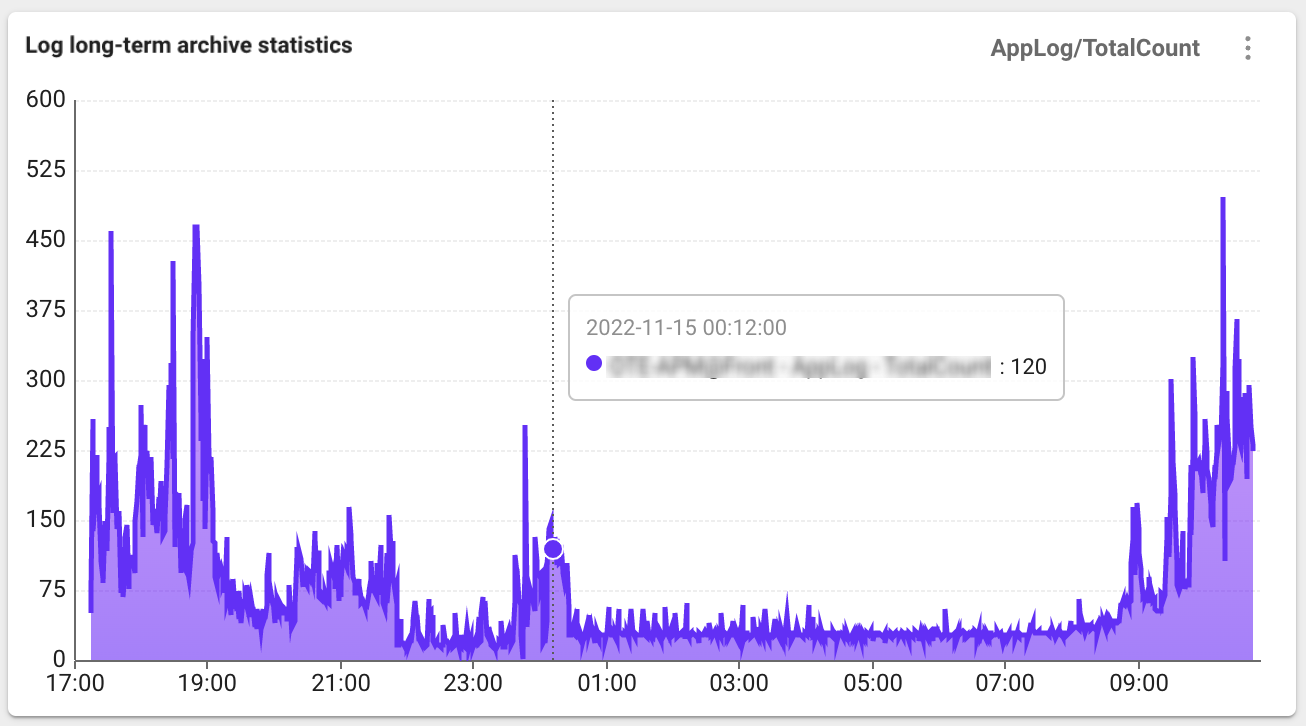
With the added settings, you can check the Log long-term archive statistics data as follows.