Application
WhaTap provides the database log monitoring service. You can collect logs from server-installed databases and AWS RDS that is a cloud service. Through this, you can check the scattered logs in the database at a glance in Live Tail and Log Trend for log monitoring.
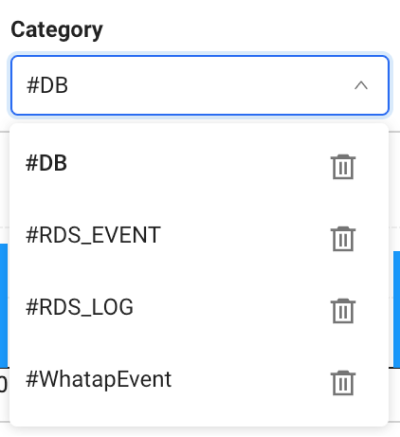
After log monitoring has been applied, installed DB is displayed as #DB, AWS RDS as #RDS_LOG, and #RDS_EVENT in Category of each menu and the log list.
Applying to the server-installed DB
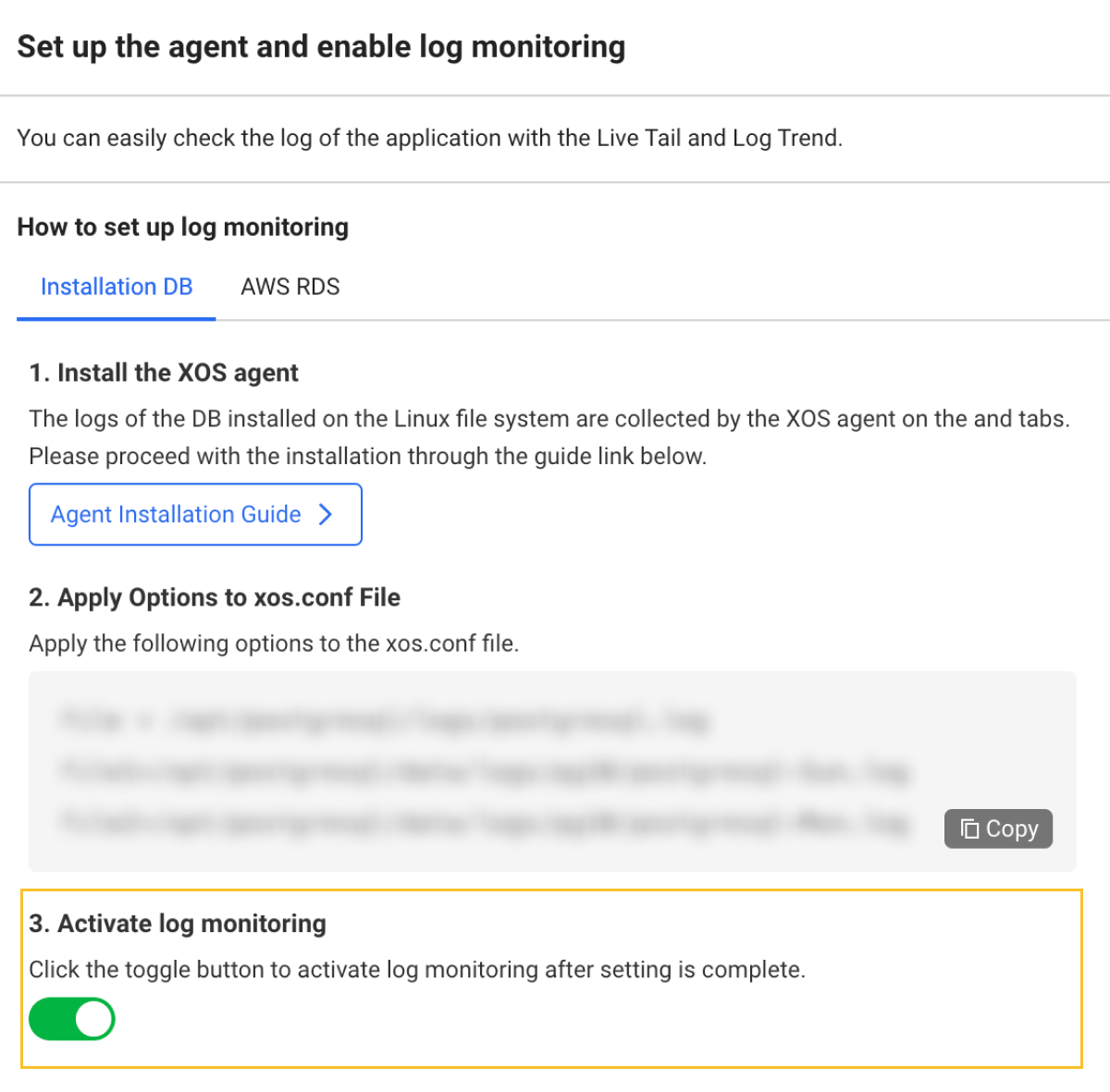
To monitor logs in server-installed databases, apply the following options in xos.conf file.
See the following example:
# example
  file=/home/dbuser/sqllib/db2dump/db2diag.log
Before application, install the XOS agent and then proceed with agent configuration. For more information, see the following.
Starting the log monitoring
After configuring all settings, go to Log > Log Configuration to activate the log monitoring.