Usage History
Payment Information
Registering a Promotion Code
My usage > Payment information > Promotion information
To register a promotion code, you must first register your payment information. For details on registering payment information, see this document.
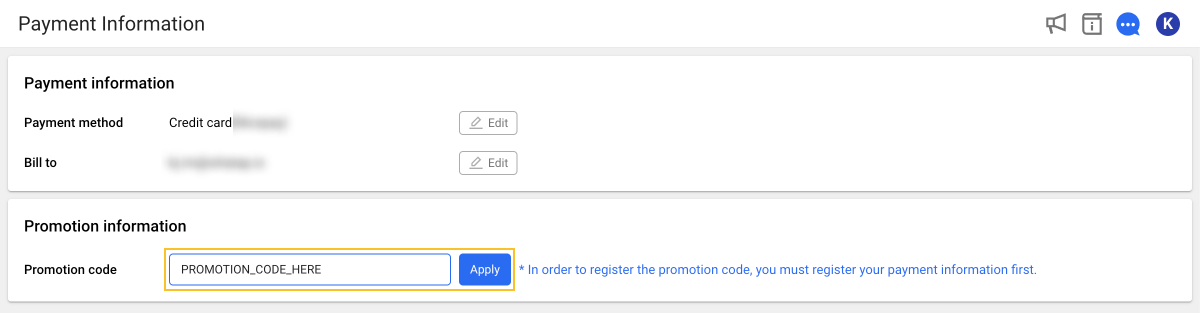
Enter the provided code in the Promotion code text box and click the Apply button. If the code is registered successfully, the applied code information will be displayed.
Billing and Payment History
My usage > Billing History
You can check your payment history, unpaid balance, and billing history. Invoices can also be accessed at the billing email address provided in the payment information.
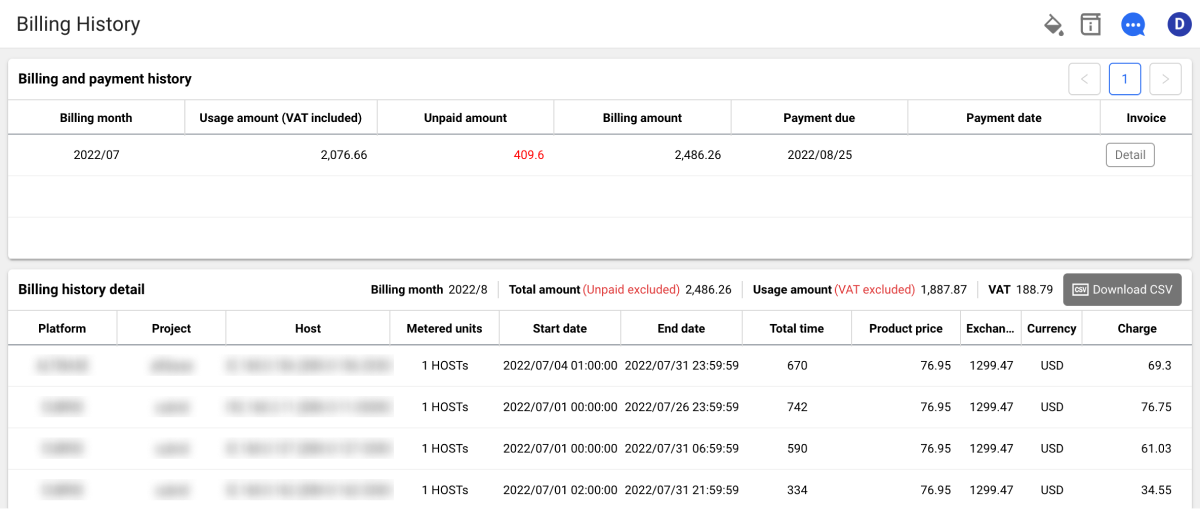
In the rightmost Invoice column of the list, click the Detail button to view the details.
WhaTap monitoring service is billed by the hour. The reference monthly time is calculated as the number of days in the month ✕ 24 hours. Monthly reference times are:
- 28 days: 28 ✕ 24 = 672 hours
- 29 days: 29 ✕ 24 = 696 hours
- 30 days: 30 ✕ 24 = 720 hours
- 31 days: 31 ✕ 24 = 744 hours
Checking the Balance
My usage > Balance
You can check how your payments have been deducted from your balance through the payment status.
Preview Invoice
My usage > Invoice Preview History
You can check the usage fee and unpaid amount for the current month with discounts and promotions applied.
Grouped View by Project and Product
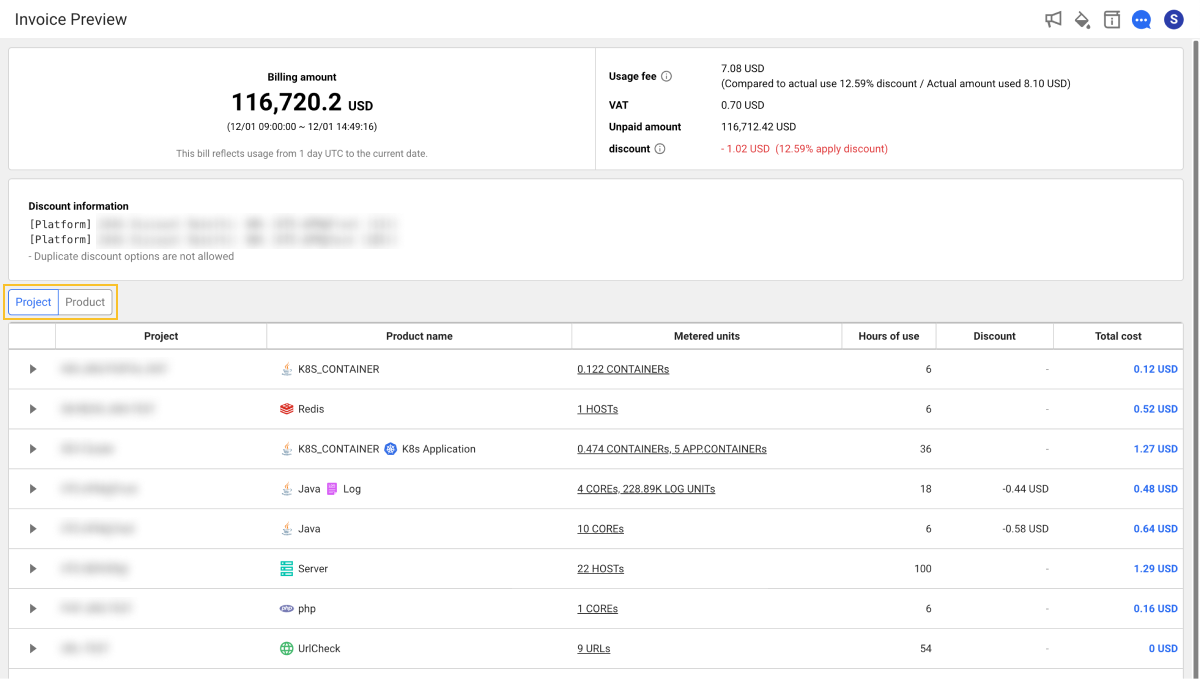
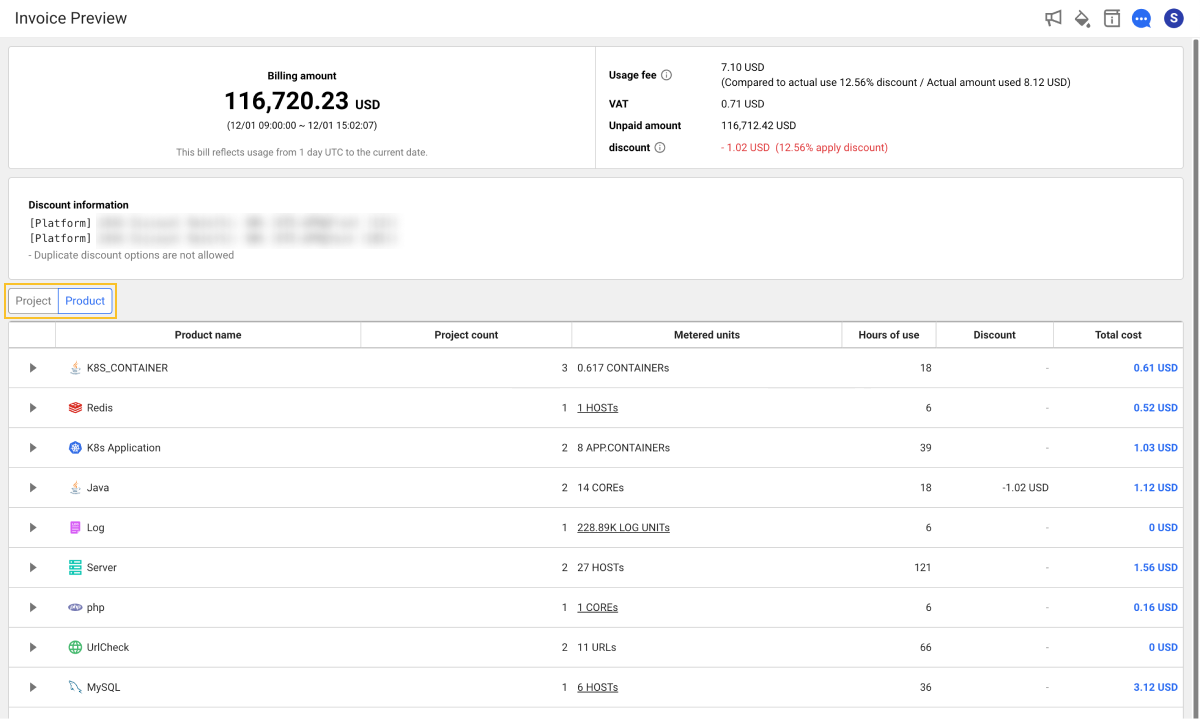
You can group invoice data by project or product to see total time, average cost, and total cost. Click the Project or Product button above the billing table to group the list.
To view detailed info such as total time, average cost, and total cost per Project or Product, click the  button to the left of each item.
By Project
By Product
Previewing Usage
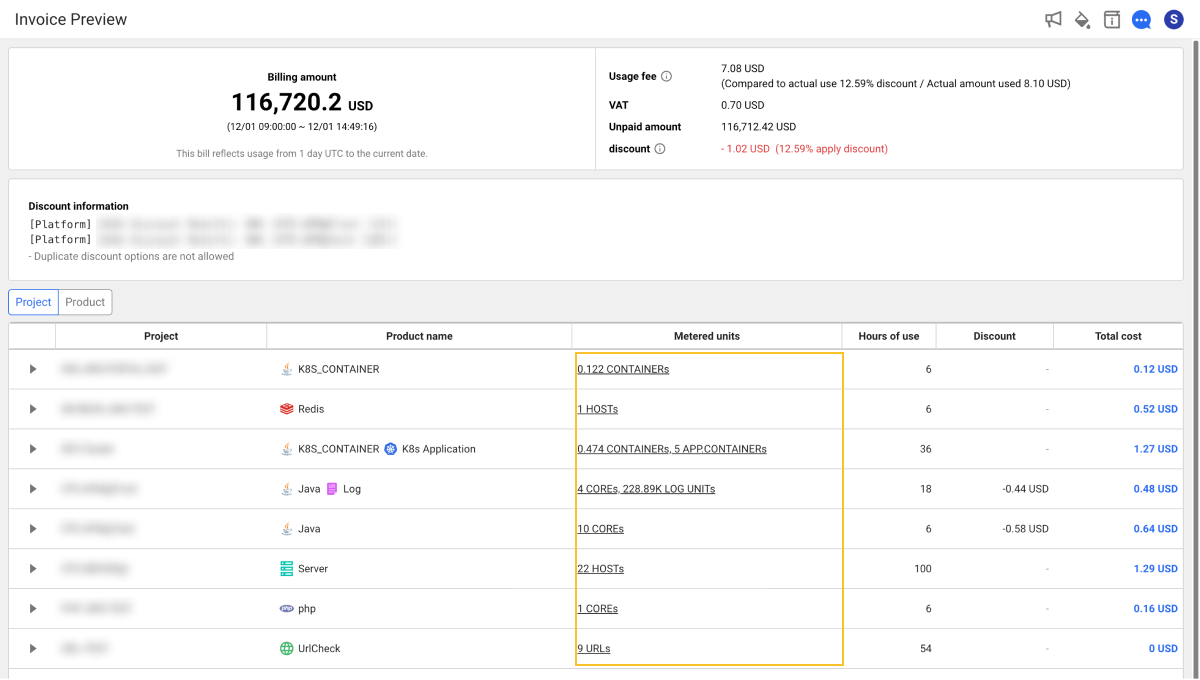
To preview usage, click the Metered units column item in the billing table. When the Metering information window opens, select Expand All or choose the desired date.
If multiple products are grouped by product name, usage preview may not be supported.
Project Usage Preview
Usage and Invoice Preview History display usage information only for projects where you have billing permissions. In the Project Usage screen, you can see the usage for all projects you are participating in.

-
Select the year/month of the project usage you want to preview.
-
Click the Project or Product button to check the usage.
Usage
My usage > Usage
You can view usage by project. To see monthly usage details by project, select the project from the list on the left.
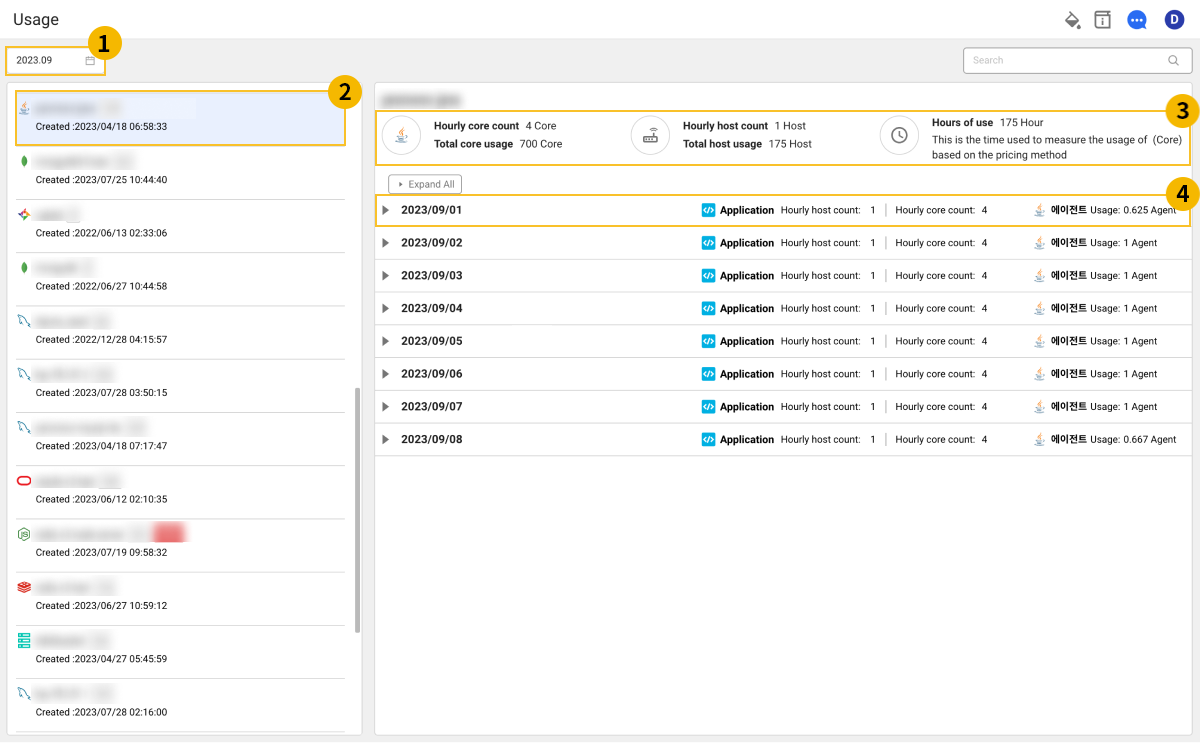
-
In
 , select the time period to check usage.
 -
From the
 project list on the left, select a project. You can also search for a project using the input field in the top right.
 -
In the
 area, you can view the summary of monthly usage for the selected project.
 -
To see daily usage details, in the
 daily usage list, click the button.
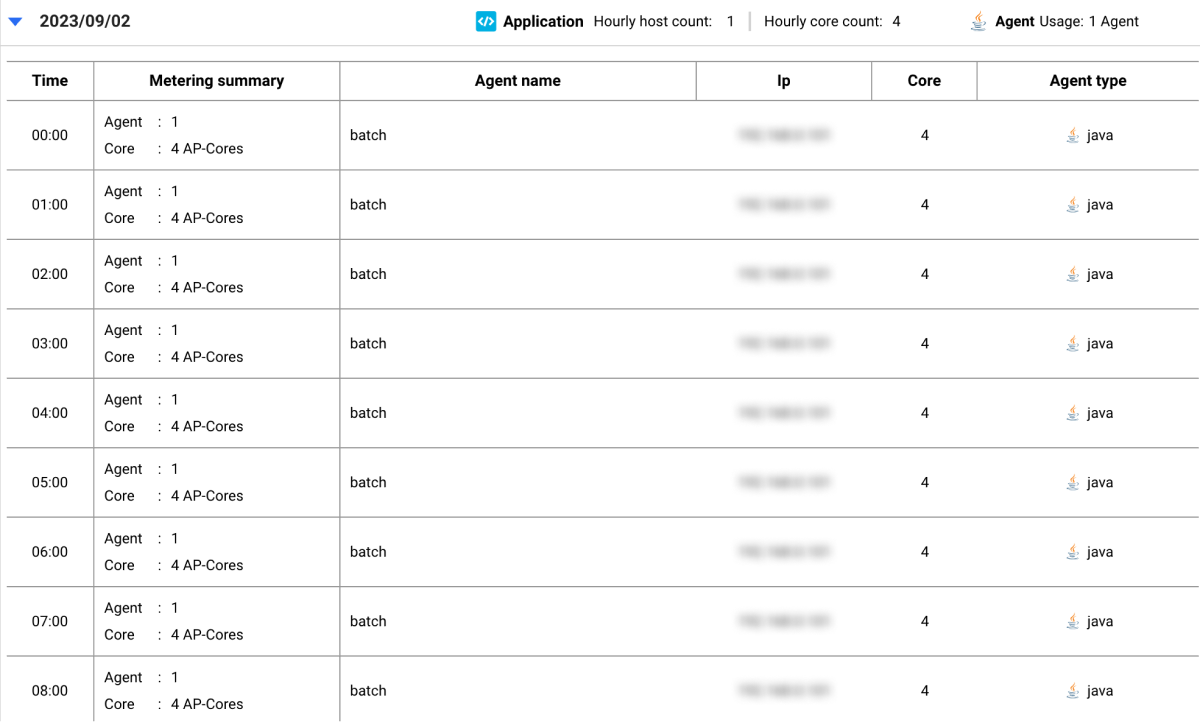
-
Monthly and daily usage information may vary depending on the product type of the project.
-
Usage is calculated based on the billing method. For more details, refer to this link.